Smart Add: Say It or Scan It to Build a Grocery List
Most grocery apps make you type every item. GroceryBudget lets you say it or scan it — name, quantity, and price in one shot. Here's how Smart Add works.
Key Takeaways
• Voice dictation is free and unlimited — say an item and it's added instantly.
• AI reads any grocery label — name, price, unit, and category — no typing needed.
• Smart Add parses name, quantity, unit, and price from a single spoken phrase or camera scan.
• Voice add runs on-device and works offline; AI camera scanning needs a connection.
Put this advice to work on your next grocery trip
Plan your list, set a budget, and track the total while you shop.
Explore GroceryBudget features →

Typing grocery items one by one slows you down. You're in the aisle, holding a jar, trying to find the price field. By the time you've typed "chicken breast" and entered $6.49, you've already lost your place.
Smart Add is GroceryBudget's answer to that problem. Say the item — or point your camera at it. Done.
Voice Dictation — Say It
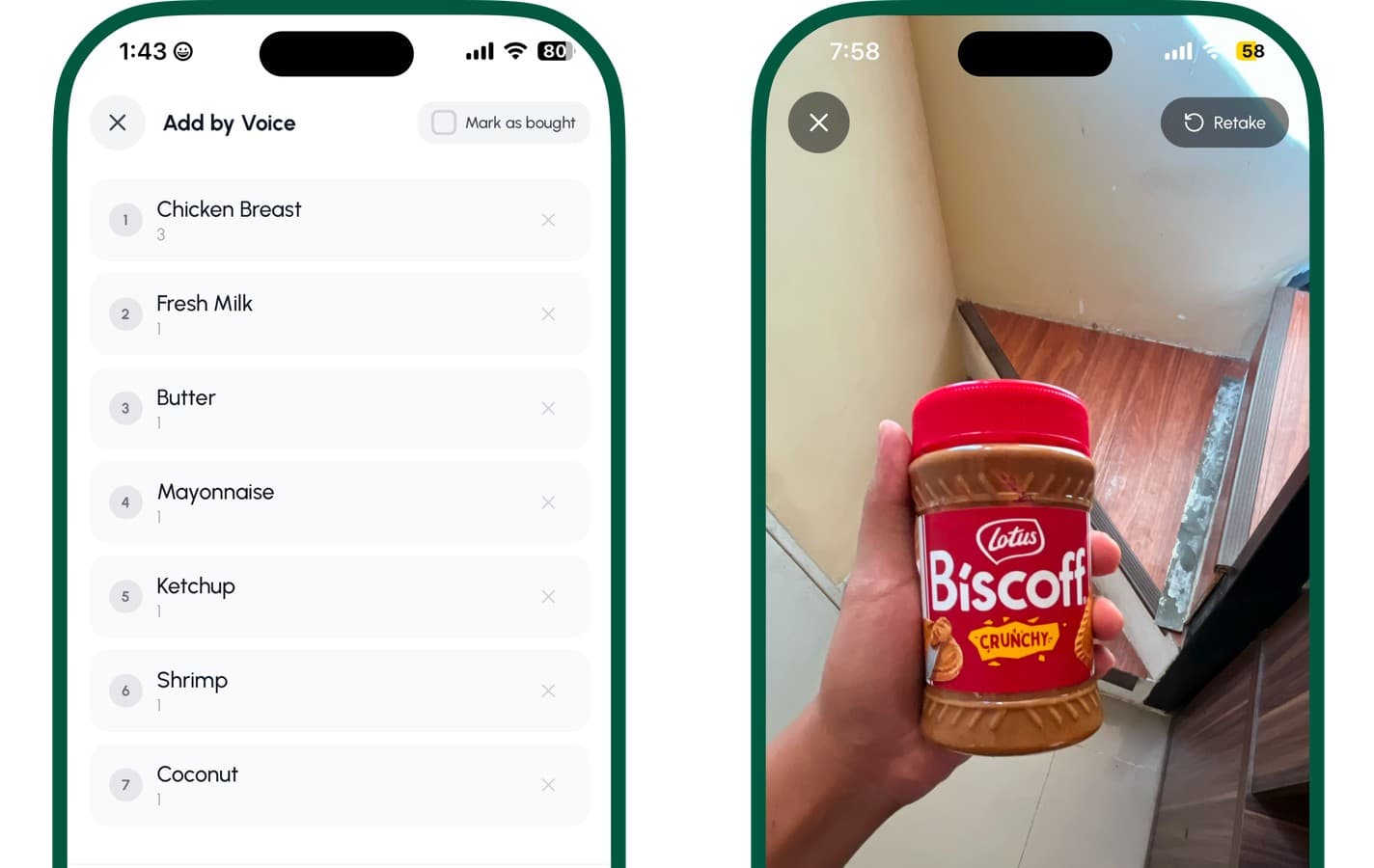
Tap the mic icon in your cart. Say something like:
> "2 lbs chicken breast $6.49"
Smart Add parses that into:
- Item: Chicken Breast
- Quantity: 2
- Unit: lbs
- Price: $6.49
It's added to your cart instantly. Say the next item. Keep going until your list is done.
You can do an entire week's grocery list in under two minutes — without typing a single character.
What it understands
Smart Add handles natural speech, not rigid commands. You don't need to memorize a format. These all work:
- "Eggs, 12 pack, $3.99"
- "One dozen eggs three ninety-nine"
- "Shrimp half a kilo" (price optional — add it later)
- "Coconut milk 2 cans"
Voice dictation is free and unlimited. No cap on items per cart, no upgrade needed.
Put this advice to work on your next grocery trip
Plan your list, set a budget, and track the total while you shop.
Explore GroceryBudget features →AI Camera Scanning — Scan It
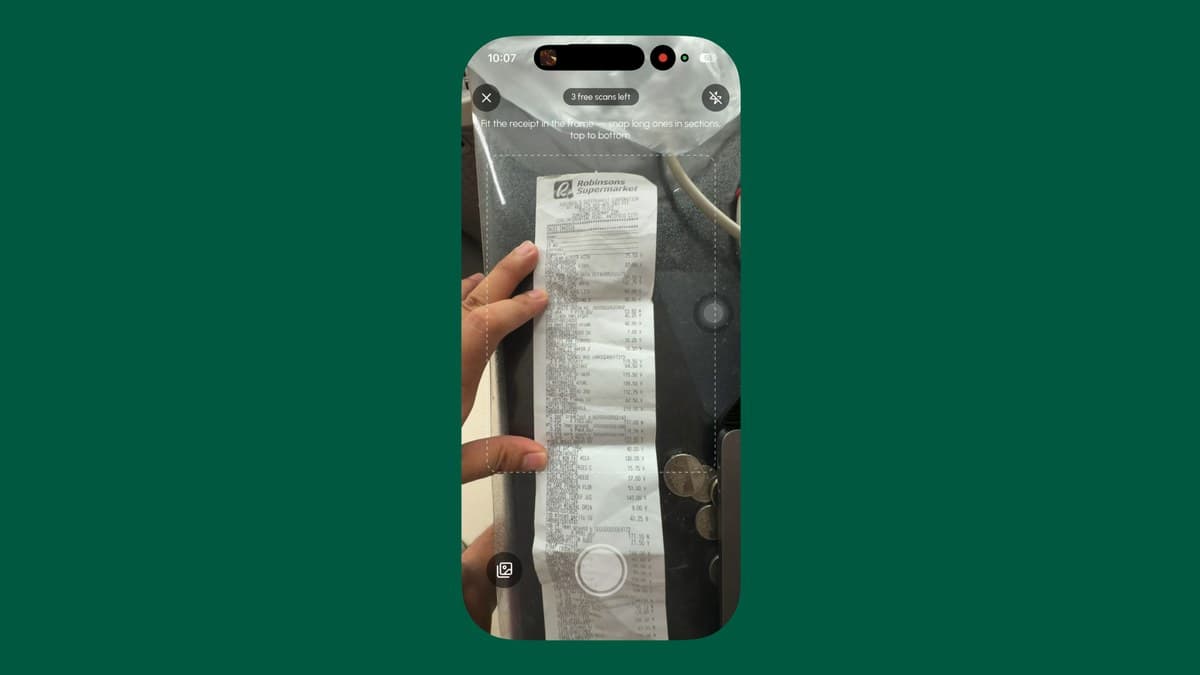
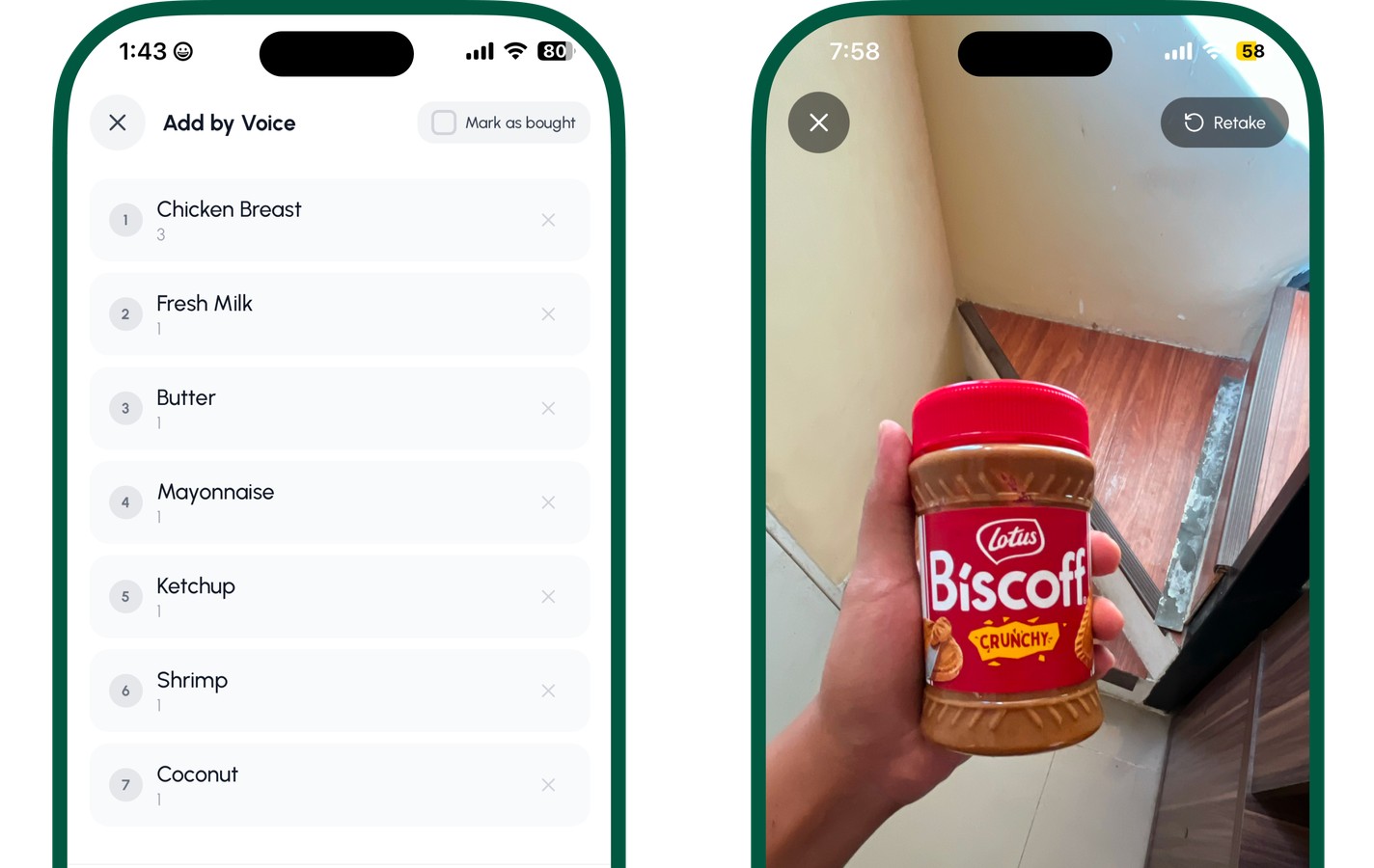
Already in the aisle with an unfamiliar price? Tap the camera icon and point it at the product or shelf label. AI reads the item name, price, unit, and category instantly — no barcode needed, no typing, no manual entry. It works on any grocery label format, including split prices and superscript cents. And the budget bar at the top of the scanner updates as you go, so your running total stays in view while you scan.
AI camera scanning includes 3 free scans to try it — Premium unlocks unlimited scans on every plan. For the full real-time tracking workflow, see how the scanner shows your spending live.
Voice Works Offline; Camera Needs a Connection
Voice dictation runs on your device — it uses on-device speech recognition, so it keeps working even with no signal. That matters in grocery stores, which are notorious for poor cell coverage: thick walls, basements, refrigeration units, metal shelving.
AI camera scanning is different: the image is read by an AI model on our server, so it needs an internet connection. Everything else — your carts, budgets, price memory, and voice add — works fully offline. So if the signal drops mid-aisle, you can still build your list and track your budget by voice or by typing; only the camera scan waits for a connection.
Why This Changes How You Shop
Most grocery budgeting breaks down at the moment of shopping — not at home planning. People stop tracking because adding items mid-aisle is too slow or too awkward.
Smart Add removes that friction entirely. Voice takes under two seconds per item. Camera takes one tap. Your running total stays accurate, your budget bar reflects what's actually in your cart, and you make better decisions before you hit checkout — not after you see the receipt.
Try It on Your Next Trip
Open GroceryBudget, create a cart, set your budget, and tap the mic or the camera. Your first item takes five seconds.
Download GroceryBudget free on the App Store — Smart Add voice is available immediately, no account needed.